
Doston, abhi ke time social media par AI se banaye gaye photos kaafi zyada trending me chal rahe hain aur log inhe upload karke acche khaase views aur followers le rahe hain.
To agar aap bhi apni trending photo edit karna chahte ho, to aaj ke is article me main aapko bahut hi aasan tarike se sikhane wala hoon ki kaise aap trending photo bana sakte ho. Sath hi main aapko trending photo ke prompts bhi dene wala hoon.
Inka istemal aap Google Gemini me karke apna photo create kar sakte ho. Isliye aapko bas article ko last tak zarur dekhna hai.
Details of Trending Photo Editing Prompt 2026
Dosto, kabhi kabhi jab hum photo lete hain to photo achchi nahi aati, colors sahi nahi hote ya sabse badi problem yeh hoti hai ki photo blur ho jati hai. Hum in sab cheezon ko fix karenge aur is article me batayenge ki kaise aap apni normal photo ko trending look de sakte ho. Aapki photo bilkul amazing lagegi aur aisa lagega jaise aapne kisi professional photographer se photo click karwayi ho.
Iske liye aap Google Gemini me ek prompt use karoge. Is prompt ki madad se aap easily ek trending photo create kar sakte ho aur yeh sab aap Google Gemini ki help se bahut aasani se kar paoge.
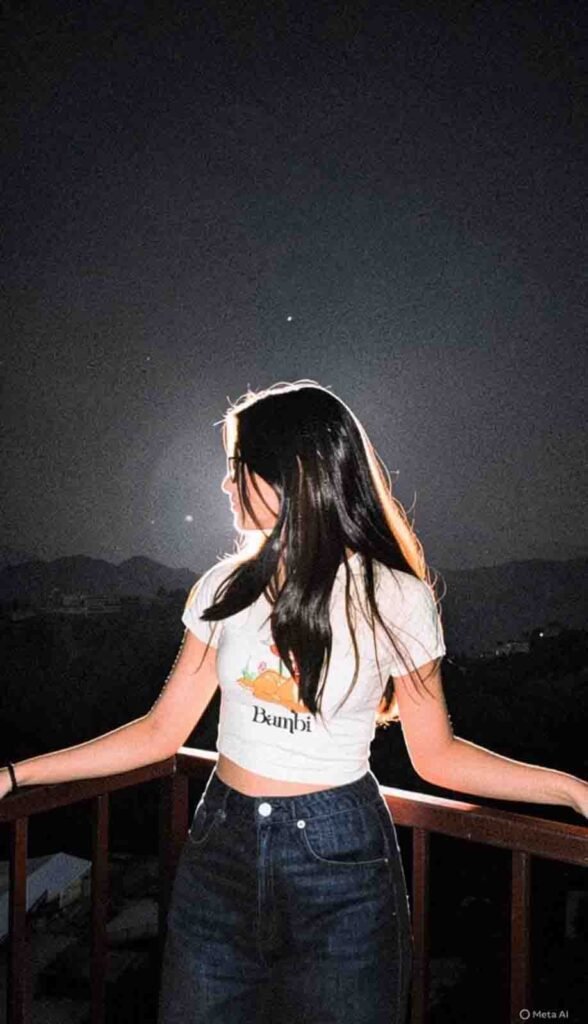
1.Prompt
High-contrast cinematic flash
photography, strong direct flash creating bright glowing skin, luminous body highlights, glossy reflective skin glow, warm golden undertones on skin, radiant flash-lit body, shiny smooth skin texture, intense highlight bloom, deep crushed blacks, moody night atmosphere, dramatic shadow falloff, warm amber highlights with cool dark shadows, subtle 35mm film grain, dark vignette, vintage digital camera aesthetic, slightly overexposed skin glow, realistic flash reflection on body and hair.
2.Prompt
High-contrast cinematic flash
photography, harsh direct flash lighting, deep black shadows, moody night-time atmosphere, warm glowing highlights, glossy skin reflections, rich amber and golden tones, crushed blacks, slightly underexposed background, dramatic light falloff, soft bloom around highlights, subtle 35mm film grain, vintage digital camera look, low ambient light, high dynamic contrast, dark vignette, cool-black shadows mixed with warm highlights, dreamy yet gritty aesthetic, realistic night photography color grading.
Why we use Google Gemini to create photos
To main aapko bata du ki Google Gemini ek best photo editing tool hai. Iske results aapko surprise kar denge aur aapki photos me better realistic look milta hai. Background bilkul perfect aata hai aur yeh aapki skin color ko over edit nahi karta. Skin bilkul natural lagti hai.
Ab baat karte hain ChatGPT ki, kyunki bahut log kehte hain ki ChatGPT bhi achhe results deta hai. Aap khud try karke dekh sakte ho. Filhaal photo editing ke liye Google Gemini se better tool nahi hai. Agar aap ChatGPT me photo create karte ho to kabhi kabhi zyada time lagta hai aur best results nahi milte. Example ke liye, face matching perfect nahi hota, jabki Google Gemini me agar aap reference face use karte ho to aapka face 100% match hota hai.
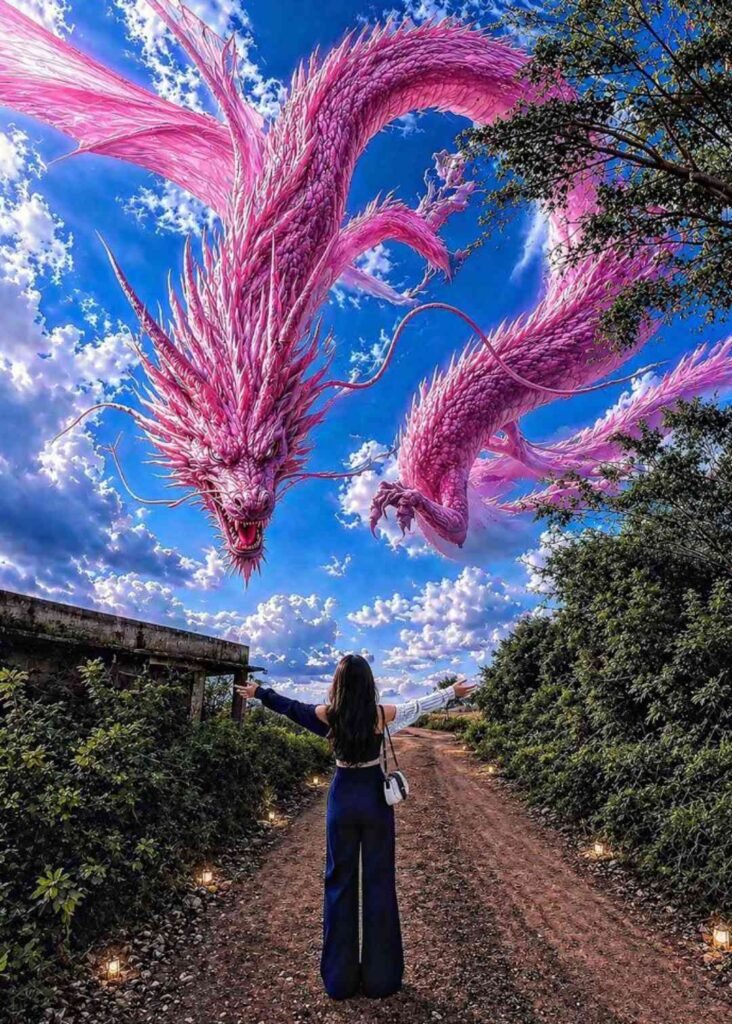
Prompt
Create an ultra-realistic cinematic fantasy scene at sunset with the exact same composition as the reference image: a massive majestic white-blue cloud dragon made entirely of clouds and mist swirling dramatically across the sky, highly detailed dragon face with glowing icy blue eyes, sharp horns, open mouth, and long serpentine body looping through the clouds. The dragon should dominate the sky exactly like the original image, with dramatic volumetric clouds, epic fantasy atmosphere, and powerful divine energy.

In the foreground, place a young girl standing alone on rocky ground in the exact same pose as the original boy: head slightly bowed down, arms folded close to chest, emotional and silent mood, full body visible, side profile stance. Keep the exact same camera angle, exact same sunset position near the horizon, same rocky landscape, same lighting, same dramatic blue- orange sky contrast, same perspective, same depth, same cinematic shadows.

The girl should wear the exact outfit
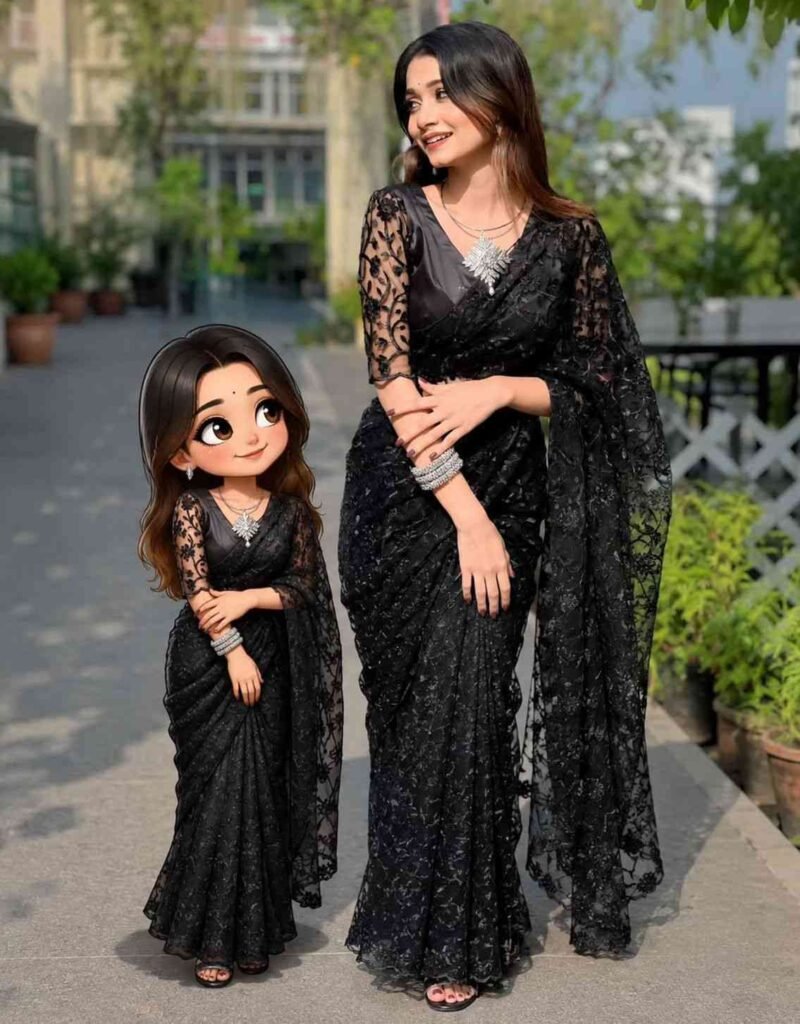
Prompt
Create a full-body "mini-me" cartoon of the person in the uploaded image and place it beside them like a companion. The style should be cute, feminine, and hand-drawn with clean outlines, soft shading, and slightly exaggerated features (bigger eyes, soft face). Match the person's hairstyle, hair color, skin tone, and expression closely. Recreate the exact same outfit with full accuracy, including colors, patterns, shoes, and accessories. Keep the pose similar or slightly simplified while maintaining the same vibe. Place the mini character next to the real person (left or right), smaller in size, without overlap. Match lighting and color tone with the original photo, and add a soft shadow under the cartoon for a natural blend. Final image should be high-resolution, clean, and polished.
How To Use Trending Photo Editing Prompt 2026
Friends, ab chaliye samajhte hain ki Google Gemini me prompt use karke trending photo kaise create karni hai.
- Sabse pehle article me diya gaya prompt copy karein.
- Ab Google Gemini app ya website open karein.
- Google Gemini me login zarur karein.
- Ab apni koi normal photo Google Gemini me upload karein.
- Uske baad prompt paste karein aur send kar dein.
- Thoda sa wait karein.
- Kuch hi der me aapki photo ready ho jayegi. Ab aap ise save kar sakte hain.
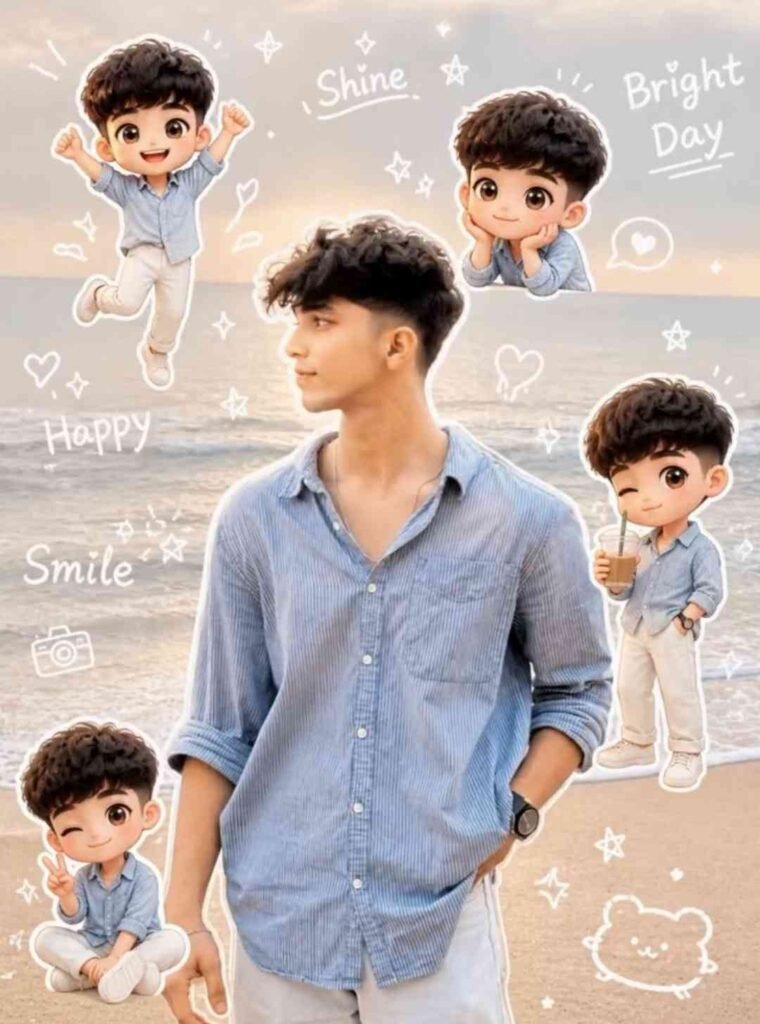
Prompt
Use a real face as a reference photo. The background is the same as in the photo. The lighting is warm, soft, and clean, with subtle shadows. Around the image, add several mini chibi (3D cute style versions of the character, while maintaining the original facial features.expressions: jumping cheerfully waving sitting relaxedholding a drink cute and playful expressions Add hand-drawn white doodle elements: outline around the main body stars, hearts, sparkles motion lines small cute icons Add aesthetic handwriting such as: “shine,” “bright day,” “happy,” “smile,” etc. (casual doodle font) Overall stvle: clean & aesthetic composition white sticker outline soft pastel color tone high detail 3D chibi glossy look cute Korean style instagrammable 4:5 ratio
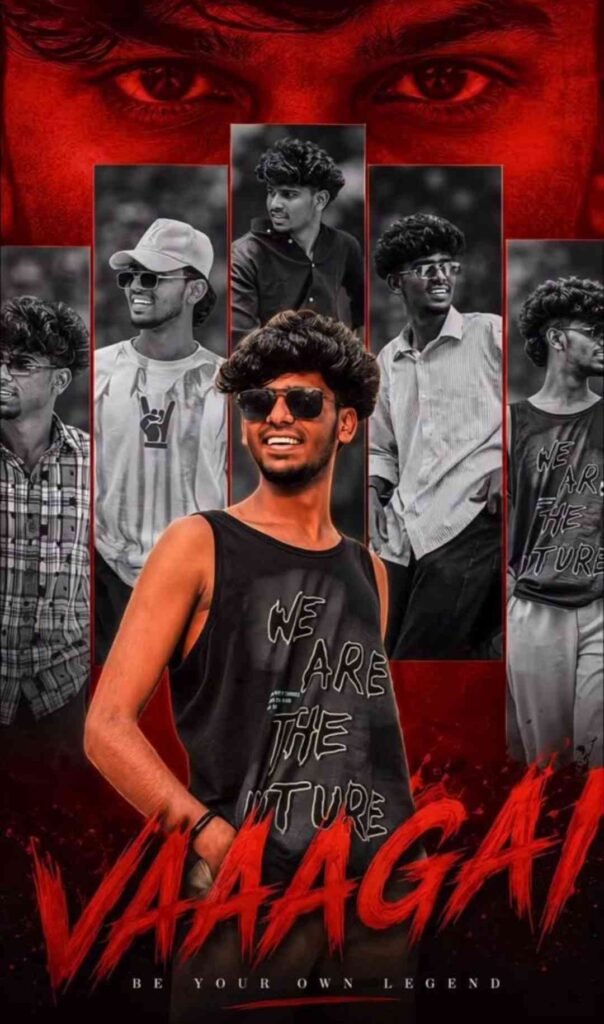
Prompt
Create a dramatic tribute poster with a bold red monochrome background."
The background should feature a faint, large close-up of a man's eyes blended into the red vaagai offxl for intensity. In the center, design a collage layout with five vertical rectangular panels showing black-and-white portraits of the same stylish man (reference image), in different poses and expressions (serious, smiling, side profile, casual stance).
Overlaying the panels in the foreground, place a larger, full-color cutout
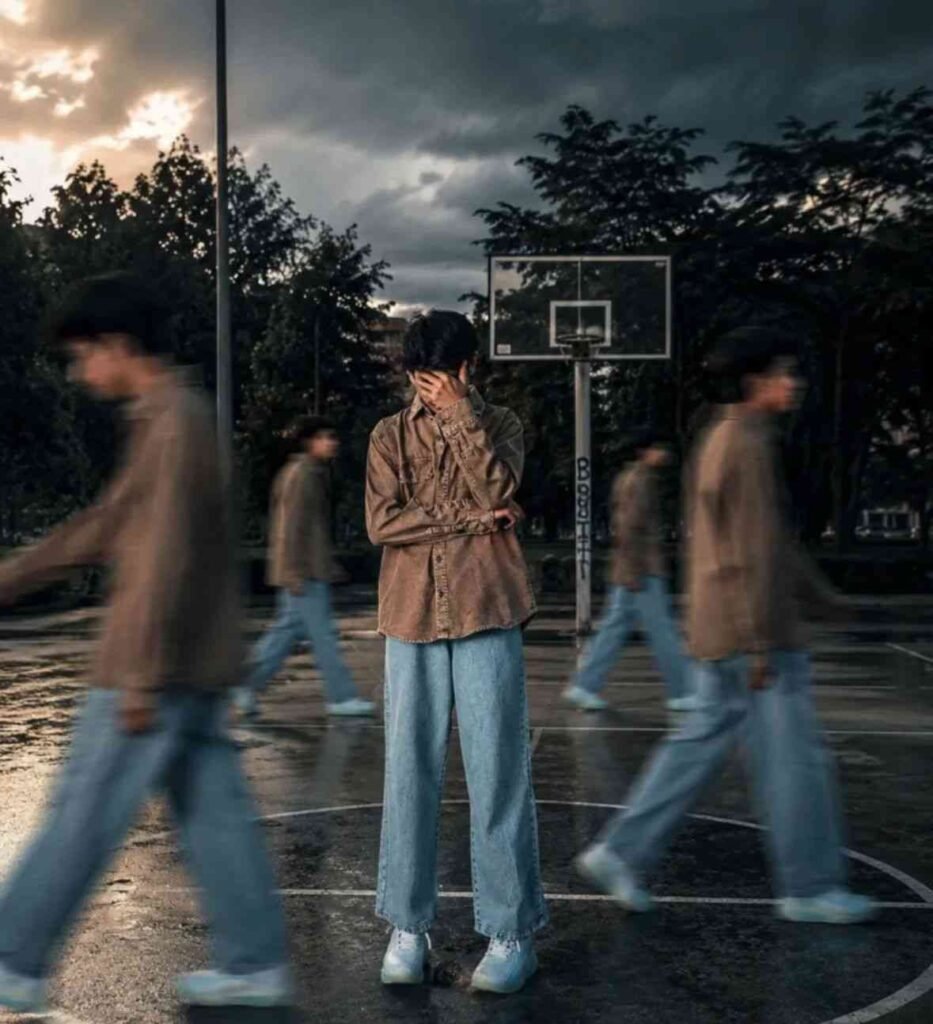
Prompt
Use the uploaded image as the main subject, keep face and identity 100% same. Change background to an outdoor basketball court with dark moody clouds and dramatic sky. Add multiple clones of the same person walking around on both sides with strong motion blur effect. Keep main subject sharp and in focus, natural confident pose. Apply cinematic lighting with high 114K contrast, shadows, and teal-orange color grading. Add depth of field, realistic shadows on ground. 1,062 Style like fashion editorial photography, Nike campaign look. Ultra-realistic, 8K quality.
What Kind Of Photos Should You Select
Ab baat karte hain ki Google Gemini me kaunsi photo select karni chahiye. Kaunsi photo aapke liye best rahegi? Is baat ko samajhna bahut zaruri hai, tabhi aapko better results milenge.
Sabse pehle aisi photo use karein jisme aapka face clearly visible ho aur lighting achchi ho. Agar aap bahut zyada artistic ya stylized photo use karoge to achha result nahi milega aur aapka face properly recognizable nahi hoga.
Photo ki lighting evenly distributed honi chahiye. Background simple rakhein. Agar background bahut zyada crowded hoga to photo achchi nahi banegi. Sahi type ki photo use karne se aapko better results milenge.
Advanced Tips for More Realistic Trending Photos
To agar aap Google Gemini se aur bhi realistic aur high quality trending photo create karna chahte ho to niche diye gaye tips ko follow karke kar sakte ho.
Proper Prompt Customization Karein
Doston, keval prompt paste karna hi kaafi nahi hota. Aap usme lighting, background, mood aur camera angle ko bhi specify karein. Jaise:
- “Soft cinematic lighting”
- “Natural skin tone with sharp focus”
- “DSLR quality portrait”
Isse aapko aur bhi better result milega.
Over Editing Avoid Karein
Jyada filter aur unrealistic background ka istemal karne se photo achchi nahi lagti. Normal editing aur natural photo hi trending me rehti hai.
Face Position Important Hai
Selfie photo ya front face wala clear photo use karne se best result milta hai. Angle wali ya dark photo se face change ho sakta hai.
Experiment With Different Styles
Aap inhe alag-alag styles me bhi try kar sakte hain jaise:
- Cinematic portrait
- Outdoor golden hour look
- Studio lighting style
- Soft aesthetic background
Isse aapko pata chalega ki aapke face par kaunsa look suit karta hai aur zyada achcha lagta hai.
Common Mistakes Jo Avoid Karni Chahiye
Low quality ya blur photo ka istemal karna
Photo me face sahi se na dikhna
Raat wali dark photo istemal karna
Background kaafi bhara-bhara rakhna
In sab mistakes ki wajah se aapke result ki quality kam ho sakti hai.
SEO & Engagement Boost Section
Agar aap bhi Instagram par apna photo viral karna chahte ho to trending audio ka istemal karein aur photo ke hisaab se hashtags lagayein.
Reel format me post karein instead of normal post.
Conclusion
Agar aap chahte ho ki aapki photo bilkul trending photo ki tarah lage to Google Gemini aapke liye best option hai. Aap apni normal photo ko ek nayi jagah aur naye style me convert kar sakte ho. Yeh sab Google Gemini me possible hai jahan aapki photo bilkul accurate tareeke se prepare hoti hai.
Jo details maine aapko batayi hain woh bilkul unique tareeke se samjhayi gayi hain jisse aapko better results milenge.