

Trending Aesthetic Photo Editing Prompts 2026 :- Doston, abhi ke time Instagram par ek naya trend aa gaya hai jisme sabhi log apni aesthetic wali photo bana rahe hain aur yah aap bhi kar sakte ho bas ek prompt ki madad se, jo ki main aapko is article mein dene wala hun. Aur aaj ke is article mein main aapko yah bhi batane wala hun ki kaise aap in prompt ka istemal karke ChatGPT ya Google se apna aesthetic photo bahut aasani se bana sakte hain. Agar aap bhi sikhna chahte hain aur apna photo banana chahte hain, to yah article aapke liye bahut useful sabit ho sakta hai. Aur bina der kiye chaliye aaj ka yah article hum start karte hain.
Why is aesthetic photo editing trending so much?
Doston, jaisa ki pichhle kuchh mahino mein aesthetic wala photo kaafi zyada trending mein chal raha hai, jo ki normal photo ke mukabale kaafi zyada achcha aur premium lagta hai. Isliye creator, influencer aur student bhi apni profile ko premium aur achcha dikhane ke liye aisi aesthetic photo editing use kar rahe hain aur isi wajah se yah abhi kaafi zyada trending mein bhi chal raha hai.
What is aesthetic photo editing?
Doston, aesthetic photo ka matlab hota hai jisme soft cinematic light aur warm aur cool color tone ho aur usmein background blur ho aur thoda bahut glow effect bhi ho. Yah sab milkar ek aesthetic photo banate hain jo ki Instagram DP, WhatsApp status ya phir Facebook post ke liye kaafi popular rehte hain.
Trending Aesthetic AI Prompt 2026
Guys, maine niche jo aapko prompt diye hain, inko aap direct copy karke kisi bhi AI image generator mein use kar sakte ho aur apna photo create kar sakte ho.
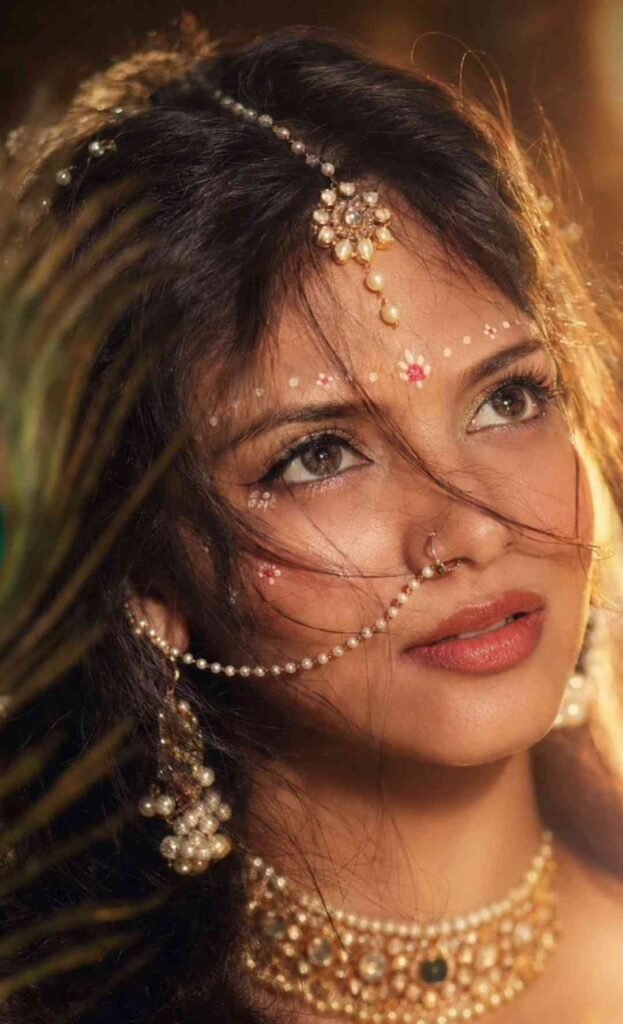
Prompt
Create an ultra-realistic cinematic portrait
using the uploaded photo as the exact
reference. Preserve body proportions, pose,
posture, hands, arms, clothing, accessories,
camera angle, composition and framing unchanged.
Completely wrap the entire head and face
in thick, opaque off-white cotton bandages
with overlapping layers. Fully cover hair,
forehead, eyes, eyebrows, nose, cheeks, mouth,
jawline, chin and ears. No facial features,
skin, gaps, openings or recognizable face
shape should be visible. Keep the original
background unchanged. Apply a dark moody
cinematic color grade in the photo, deep shadows,
subtle warm highlights, atmospheric haze,
natural HDR, contrast and film grain.
Prompt
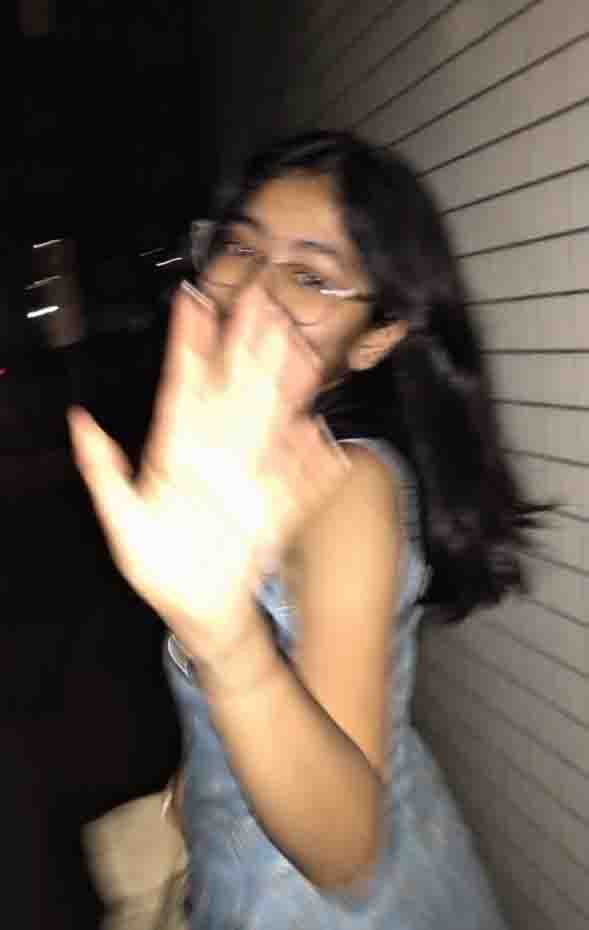
Ultra-realistic candid smartphone photograph, 9:16 vertical. Use the attached image only as a strong visual inspiration for general facial proportions and vibe, while ensuring the generated subject remains fully original, non-identifiable, and not a face copy. Scene Nighttime on a quiet Tokyo city sidewalk beside a building with white ceramic tile walls. The subject is walking past the camera, partially side-on, captured mid-step in a rushed, accidental moment. Poses & Gestures (combined naturally) The subject reacts instinctively to being photographed: turning her head back mid-walk as if surprised, raising one hand close to the lens to partially block the camera, shy, restrained smile forming as she suppresses laughter, body angled in half-profile while continuing to walk forward, motion carries her slightly out of frame, imperfect framing. Expressions are subtle and spontaneous — embarrassed, playful, fleeting — never posed. Camera & Motion Shot on a modern smartphone, handheld, rushed capture. Strong uncontrolled camera shake. Heavy directional motion blur across the raised hand, hair, and face. Facial features appear smeared and streaked by movement, faintly recognizable but distorted. Partial ghosting around the body. Imperfect framing, subject nearly leaving the frame. Lighting Flash-only lighting fired mid-motion. Harsh flash highlights on skin and hand. Deep surrounding darkness. Uneven exposure, blown highlights, hard shadows typical of hurried night phone photography. Background White ceramic tile wall stretches into streaked light bands due to motion blur. Street surroundings fade into darkness with minimal readable detail. Mood Candid, shy, slightly playful. Feels intrusive, raw, imperfect, and authentic - like a fleeting memory accidentally captured and never meant to be perfect. Image Quality Extremely noisy. Heavily blurred. Raw smartphone look. Not cinematic. Not editorial. Not polished. Negative Prompt anime, illustration, painting, stylized, studio lighting, beauty lighting, soft portrait, sharp focus, clean face, perfect anatomy, smooth skin, fashion editorial, posed portrait, cinematic grading, film still, tripod shot, professional photography, identity match, face copy, real person replication.
What will the result of this prompt be?
Doston, yah prompt maine khud istemal kiye hain aur mujhe ismein bahut achche result mile hain. Ismein aapko face par glow effect aur background professional tarike se blur rehta hai aur aapki jo skin tone hai vah bilkul natural rahegi, fake bilkul bhi nahin lagegi aur photo aisa lagta hai ki jaise DSLR se click kiya gaya ho.
How do I edit photos taken with a mobile phone?
Google Gemini mein
- Sabse pahle aapko Play Store ya phir App Store se Google Gemini app ko install karke open kar lena hai.
- Ab aapko vahan par image create option ko select karna hai.
- Aur phir plus icon par click karke apni gallery se apne kisi bhi clear face wale photo ko upload kar dena hai.
- Uske baad aapko article mein prompt diya gaya hai use copy karna hai aur Google Gemini mein jaakar paste kar dena hai.
- Ab bas aapko send par click karna hai to aapka photo generate hona start ho jayega aur thodi der mein aapka aesthetic photo generate hokar vahan par aa jayega.
- Jise aap upar download par click karke apni gallery mein save kar sakte ho.
ChatGPT mein
- ChatGPT application ko open karna hai.
- Aur vahan par apna koi bhi clear face wala photo upload kar dena hai.
- Aur is prompt ko paste karke simply send karna hai.
- To thodi der mein aapka aesthetic photo generate hokar aa jayega.
Tips to make your Instagram content go viral
Doston, agar aap Instagram ke liye photo bana rahe ho to use 9:16 size ka rakhen aur apne photo mein golden aur sunset tone jarur add karein. Photo upload karne se pahle caption mein koi emotional caption dalna aur # lagana mat bhoolna aur upload karte samay koi trending music ka istemal jarur karein.
Aap niche diye gaye hashtag ka istemal bhi kar sakte hain:
#AestheticPhoto #AestheticEdit #InstagramAesthetic #PhotoEditing #AIPhotoEditing #ViralPhoto
Final Words
To doston, agar aap bhi Instagram ke liye koi viral aesthetic photo banana chahte ho to aap upar diye gaye prompt try karke dekh sakte ho. Bas aapko prompt ko copy karna hai aur apne normal photo ke saath is prompt ko paste karke ek cinematic aur aesthetic photo create kar sakte ho. Inmein se mujhe jo glow wala prompt hai vah sabse zyada achcha lagta hai kyunki usse kaafi realistic aur professional photo create hoti hai. To doston, agar aapko yah article achcha laga ho to apne doston ke saath jarur share karein aur aise hi trending AI prompt ke liye Vikasedit.com par aate rahein.