
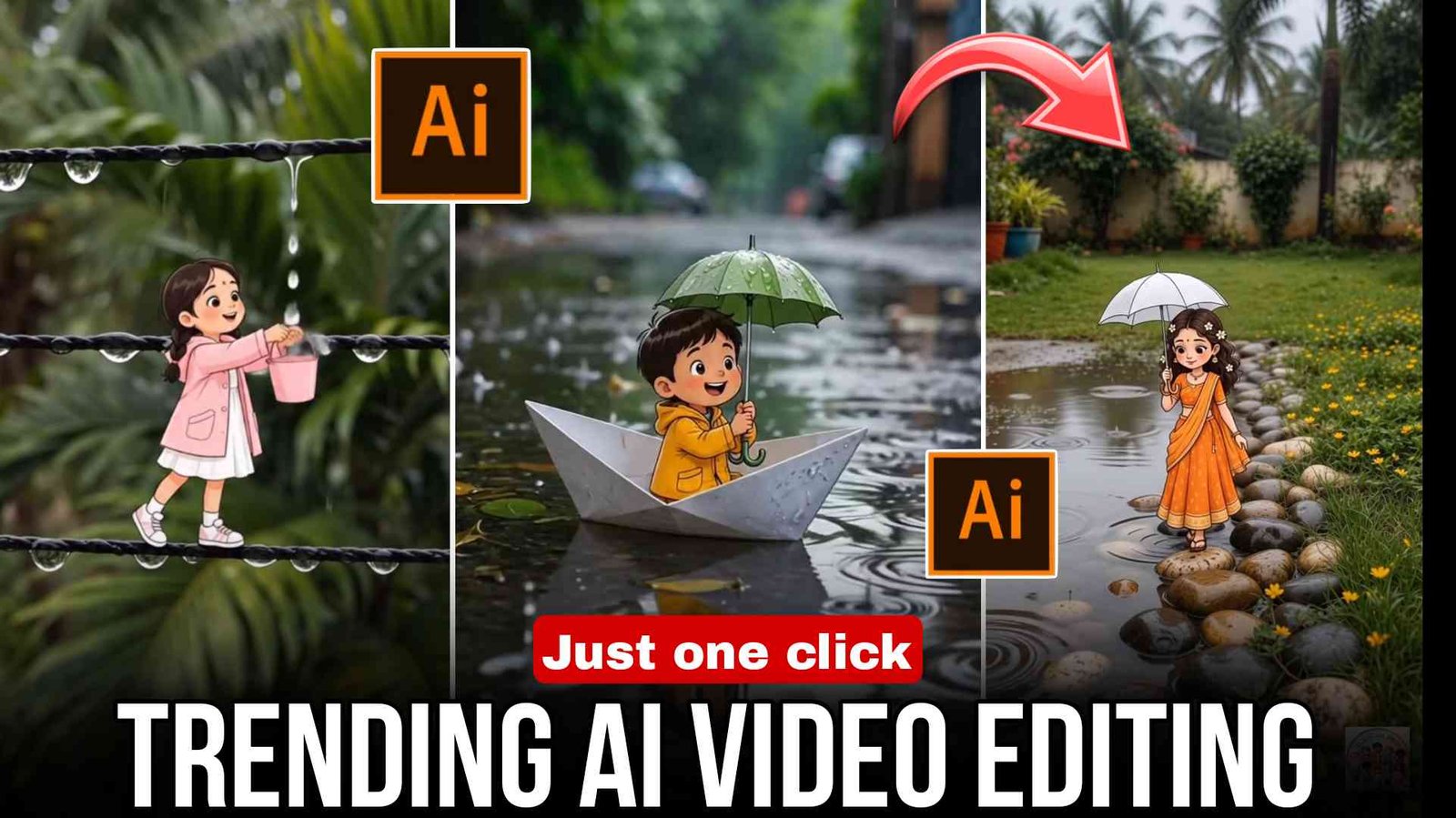
Cartoon Rain AI Video Editing 2026 – Create Viral Cartoon Rain Effect Videos Using AI :- Doston, to jaisa ki aapko pata hi hai, abhi barish ka mausam aa gaya hai aur abhi ke time par Instagram par cartoon wala yeh video kaafi zyada trending mein chal raha hai, jisme ek cartoon barish ke mausam mein barish ke kapde pahne hue, barish mein nahate hue aur barish ke maje lete hue video mein dikhai deta hai. Is tarah ki video aap AI tool ki madad se bahut aasani se bana sakte ho. To agar aap bhi seekhna chahte ho aur aisi video banana chahte ho, to aaj ke is article mein maine aapko bahut aasan bhasha mein sikhaya hai ki kaise aap kuch steps ko follow karke aisi rain effect wali Cartoon AI video bana sakte ho.
What is cartoon Rain AI video editing?
Cartoon Rain AI Video Editing se banaya gaya video AI ki madad se tayyar hota hai, jise prompt ki madad se generate kiya jata hai. Ismein bilkul realistic rain aur cinematic effect mil jata hai. Is type ke video abhi ke time Instagram par kaafi tezi se trend kar rahe hain aur jo bhi aisi video bana kar upload kar raha hai, un sab ka video viral ho raha hai. Ise AI ki madad se seconds mein banaya ja sakta hai. Bas aapko ek sahi prompt aur ek sahi AI tool ki zarurat padti hai.
How to make cartoon rain AI videos?
To doston, agar aapko video editing ke baare mein bilkul bhi knowledge nahin hai ya phir aapko video editing bilkul bhi nahin aati hai, tab bhi tension lene ki zarurat nahin hai. Aisi video bas neeche diye gaye simple steps ko follow karke seekh sakte hain aur bana sakte hain.
- To sabse pehle aapko article mein diye gaye image wale prompt ko copy kar lena hai.
- Uske baad kisi bhi Image Generator AI tool, Google Gemini ya phir ChatGPT ko open karna hai.
- Uske baad wahan copy kiye gaye prompt ko paste karke send kar dena hai.
- Thodi der mein aapka photo generate hokar wahan par aa jayega, cartoon wala, jise aapko download kar lena hai.
Doston, ab hamein us photo ko video mein convert karna hai.
- To iske liye aapko sabse pehle article mein diye gaye video wale prompt ko copy karna hai.
- Aur phir Google Flow website ko open karna hai aur Gmail daal kar login kar lena hai.
- Ab aapko wahan New Project ka option milega. Us par click karke New Project bana lena hai.
- Aur phir Start par click karke us generate kiye gaye AI photo ko upload karna hai.
- Aur copy kiye gaye prompt ko paste karke Generate par click kar dena hai.
- To aapka video banna start ho jayega. Ab aapko sirf thoda sa wait karna hai.
- Thodi der mein aapka video generate hokar wahan par aa jayega, jise aap Download par click karke apni gallery mein save kar sakte ho.
- Ab aap use VN aur CapCut application mein open karke music aur thode bahut effects laga sakte ho, jisse video aur professional lage. Itna karne se aapki video bankar ready ho jayegi.
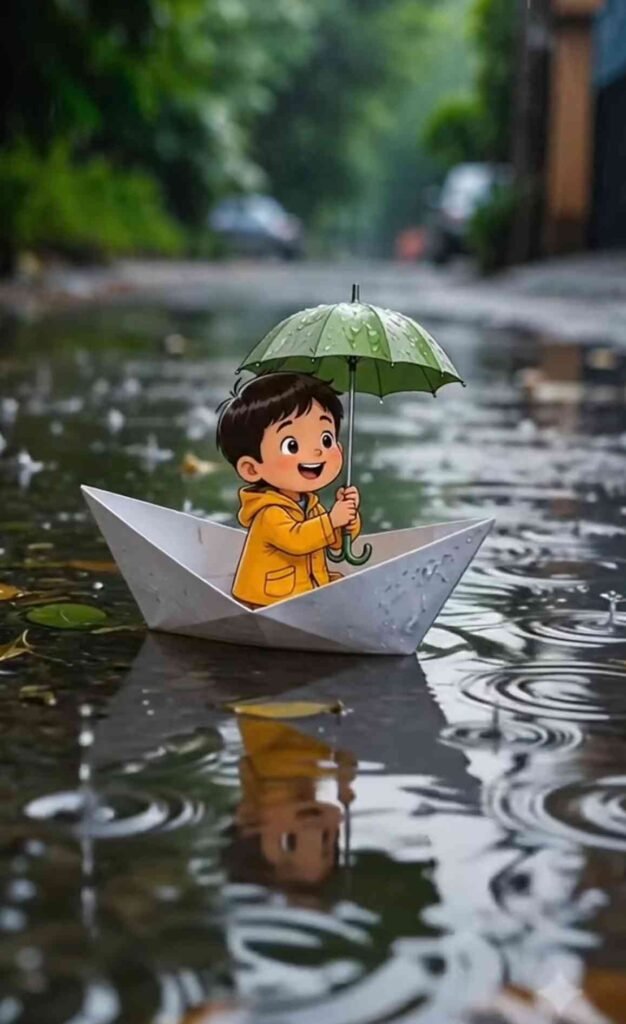
Photo Prompt
 A photorealistic macro rainy street during the monsoon season, captured with a DSLR macro camera. A shallow rainwater puddle reflects the surrounding lush green plants, sparkling raindrops, soft dreamy green bokeh, cinematic natural lighting, ultra-detailed textures, and shallow depth of field.  A tiny adorable 2D hand-drawn cartoon boy wearing a bright yellow raincoat with the hood on and matching yellow rain boots is happily sitting inside a small folded paper boat floating on the puddle. He holds a tiny green leaf umbrella, smiling with rosy cheeks, expressive eyes, clean outlines, soft pastel colors, and a charming children's storybook illustration style. Tiny raindrops create gentle ripples around the boat. The illustrated character blends seamlessly into the realistic macro environment as if naturally part of the scene. Magical whimsical atmosphere, ultra-HD, masterpiece, highly realistic background, 8K, portrait orientation (9:16).
Negative Prompt:
 Pixar, Disney, 3D, CGI, anime, realistic human, blurry, low quality, distorted face, extra limbs, duplicate character, watermark, logo, text, oversaturated colors, style drift, character redesign.
Video Prompt
Animate this image naturally.
 STYLE LOCK (Highest Priority)
 Animate ONLY the existing image.
 Keep the exact same original 2D hand-drawn children's storybook illustration style throughout the entire video.
 Do NOT convert the character into Pixar, Disney, 3D, CGI, anime, or any other style.
 Preserve the exact facial features, clothing, colors, outlines, proportions, and character identity exactly as shown in the first frame.
 Character Actions:
 • The tiny cartoon boy happily smiles throughout the scene.
 • He gently waves one hand.
 • He looks around with excitement.
 • He blinks naturally.
 • He holds the tiny leaf umbrella firmly.
 • His body gently sways with the movement of the boat.
 Boat Actions:
 • The paper boat slowly sails forward.
 • The boat gently rocks left and right with the water.
 • The boat naturally floats with realistic buoyancy.
 Water Actions:
 • Soft raindrops continuously fall into the puddle.
 • Circular ripples spread across the water.
 • Tiny water splashes appear around the moving boat.
 • Reflections shimmer naturally on the wet surface.
 Environment Actions:
 • Soft rain falls continuously.
 • Nearby leaves gently sway in the breeze.
 • Tiny droplets sparkle on the leaves.
 • The dreamy macro bokeh remains unchanged.
 Camera Motion:
 • Slow cinematic tracking shot following the boat.
 • Gentle push-in camera movement.
 • Smooth stable camera.
 • Macro DSLR look.
 • Shallow depth of field.
 • No camera shake.

 Keep the original composition, lighting, framing, colors, and background exactly the same. Only animate the existing image. Do not redesign, regenerate, or reinterpret any character or object. Maintain the exact first-frame appearance until the end. Smooth, cute, magical storybook animation with realistic rain and water physics. Portrait 9:16.

 Negative:
 Pixar, Disney, 3D, CGI, anime, style change, character redesign, identity drift, morphing, face change, outfit change, regenerated character.
Best AI Tools for Cartoon Rain Video Editing
2026 mein ye AI tools kaafi popular hain:
- Google Gemini AI
- ChatGPT AI Image Tools
- Kling AI
- PixVerse AI
- Hailuo AI
- Runway AI
Doston, yeh kuch AI tools hain jinka istemal karke aap bahut hi aasani se rain effect wala cartoon video bana sakte ho, woh bhi bina koi editing kiye.
Tips for creating viral Reels
Doston, agar aap apni video ko viral aur professional look dena chahte ho, to neeche maine kuch baatein batayi hain, jinhe dhyan mein rakhkar aap bilkul professional video create kar sakte ho.
Photo generate ho jaane ke baad use high quality mein save karein. Video ko upload karne se pehle usmein trending audio zarur add karein. Video ko 9:16 vertical format mein export karna hai. Video ko 10 se 20 second ke beech mein banayein, matlab Shorts video jaldi viral hota hai, to aapko Shorts video hi banana hai. Instagram par video upload karne se pehle usmein achha sa koi caption daalein aur trending hashtags use karein. Video upload karne ka sabse best time evening ka rehta hai, to aapko evening ke time par hi video upload karna hai. Daily video upload karna sabse important hai. Isse aapke account ki reach badhegi aur aapke video viral hone ke chances bhi badh jayenge.
Do cartoon rain videos go viral?
Haan doston, agar aap alag-alag videos ko music ke hisaab se jodte ho aur use achhe se edit karte ho, to ek professional video tayyar ho sakta hai, jo viral bhi ho sakta hai, kyunki ise algorithm zyada boost karta hai. Isliye aapko ek video nahin, balki different-different angle ki AI videos generate karni hain aur unhe video editing mein jaakar merge kar lena hai. Uske baad upload karna hai, to aapke video viral hone ke chances badh jayenge.
Conclusion
Cartoon Rain AI Video Editing 2026 un sabhi logon ke liye ek shandaar trend hai jo abhi naye-naye videos banana shuru kar rahe hain ya phir jinhe video editing ki knowledge nahin hai aur editing nahin aati. Agar aap kam samay mein bina mehnat ke apna video banana chahte hain, to bas sahi prompt aur AI tool ki madad se thodi creative soch ke saath ek viral Cartoon Rain Effect video create kar sakte hain. Agar aap daily AI ki madad se videos banate hain, to ek baar is trend ko zarur try karein. Yeh aapke Instagram Reels aur YouTube Shorts ko next level tak le jayega.
To doston, mujhe ummeed hai aapko samajh mein aa gaya hoga ki Cartoon Rain Effect wala yeh video kaise banaya jata hai. Agar aapko photo ya video generate karne mein koi problem aati hai, to aap do se teen baar aur try karein. Aapko ek achha result milega aur koi problem bhi nahin aayegi.