
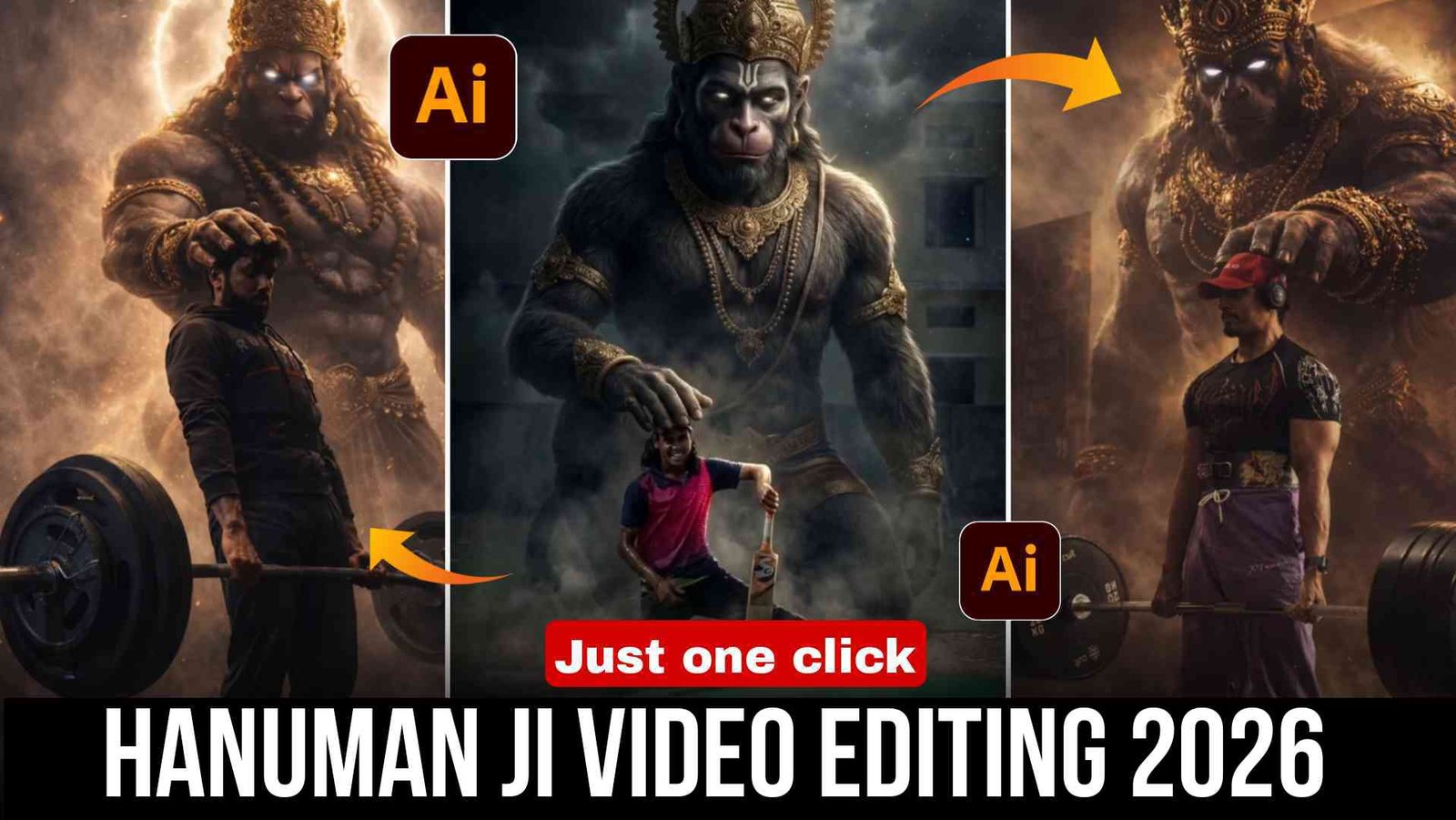
Hanuman Ji Trending Video Editing 2026 :- So aaj ke is article me main aapko ek special video editing technique ke baare me batane wala hoon jise aap AI ki madad se bana sakte ho. Aaj kal social media par is type ke Hanuman Ji videos kaafi viral ho rahe hain aur bahut log aise Hanuman Ji video banana chahte hain lekin unhe pata nahi hota ki kaise banayein.
Isliye aaj ke is article me main aapko AI image of Hanuman Ji ka use karke video banana aur edit karna complete process batane wala hoon. Main aapko pura step by step process samjhaunga. Aapko bas is article ko dhyan se pehle read karna hai aur phir diye gaye steps ko follow karna hai editing ke liye.
Chaliye ab ise step by step samajhte hain.
Details Hanuman Ji Trending Video Editing
Sabse pehle chaliye is Hanuman Ji video ki editing ko samajhte hain.
Doston, is video me ek aadmi cricket khel raha hota hai. Video pause hoti hai aur turant ek dusri clip aati hai jo ek Hanuman Ji ki photo hoti hai. Ye image AI se create ki gayi hoti hai.
Video ka final scene AI ki madad se edit kiya gaya hota hai. Is video ka main element aur viral hone ka reason Hanuman Ji ki photo hai.
Is image me hum video wale aadmi ko dekhte hain aur background me Lord Hanuman ka ek fierce image hota hai. Image me Lord Hanuman aadmi ke sir par haath rakhte hue dikhte hain. Aisa lagta hai jaise Bhagwan uske saath hain aur use support kar rahe hain.
Ye video trending me hai isliye main aapko sikhane wala hoon ki aap kaise AI se Hanuman Ji ki photo bana sakte ho. Aap apne video ke end ka screenshot le sakte ho aur use ChatGPT aur Google Gemini ki madad se edit karke usme Lord Hanuman add kar sakte ho.
Ab main aapko pura process samjhata hoon.
How To Create hanuman ji Image First
Doston, sabse pehle main aapko sikhata hoon ki AI se Hanuman Ji ki photo kaise create karte hain. Uske baad main batane wala hoon ki is photo ko video me kaise convert karna hai.
Ye specially cricket players ke liye hai. Agar aap cricket khelte ho to aap apni bat ke saath cricket field me video record kar sakte ho. Agar aap cricket nahi bhi khelte ho to koi problem nahi.
Article me aapko ek prompt milega. Use yahan se copy kar lo. Phir aapko ek Create Photo button milega. Us par click karo. Ye aapko direct ChatGPT website par le jayega.
Wahan jaakar jo prompt aapne copy kiya tha use paste karna hai. Wahan ek plus icon milega, us par click karke apni photo upload karni hai. Jaise maine bataya ye cricket fans ke liye hai, lekin agar aap cricket nahi jaante ho to koi simple photo bhi upload kar sakte ho.
Send par click karte hi aapki Hanuman Ji ke saath photo create ho jayegi. Use download kar lo.
Ab main aapko batata hoon ki is photo se video kaise banate hain.
How To Create Video With Photo
Sabse pehle aapko apni video clip CapCut me add karni hai kyunki editing CapCut ke andar hi hogi.
Video add karne ke baad video ke end par jaakar screenshot lena hai aur use crop kar lena hai.
Uske baad jaise aapne pehle ChatGPT se photo banayi thi, waise hi is screenshot ko upload karke Hanuman Ji ke saath photo create kar leni hai.
Ab jo photo create hui hai use CapCut me add karna hai.
Phir aapko apni video ke saath Hanuman bhajan ya koi song set karna hai. Aap apni pasand ke hisaab se customize kar sakte ho.
Iske baad Effects me jao, phir Video Effect me jao aur wahan aapko “Shake” naam ka effect milega. Is Shake effect ko sirf wahan apply karo jahan aapne photo add ki hai.
Is effect ki dono settings ko 10% par set kar dena hai.
Iske baad aapki Hanuman Ji wali video ready ho jayegi. Aap khud play karke dekh sakte ho.
Ab upar Export par click karke apni gallery me save kar lo aur social media par upload kar do.
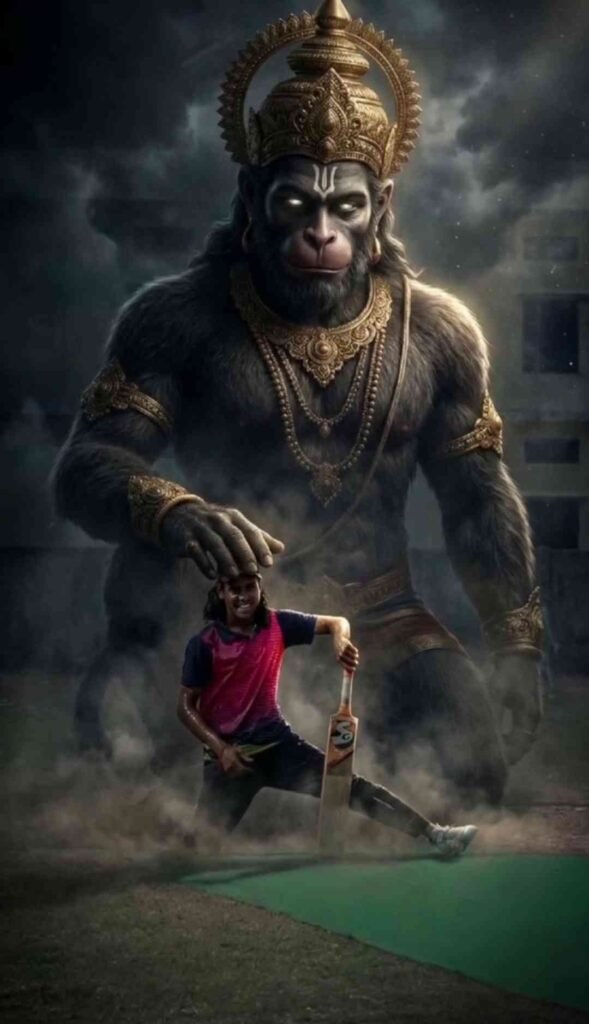
1.Prompt
Create an ultra-realistic cinematic scene where Lord Hanuman (Bajrangbali) is standing behind me (use my uploaded photo as main subject) in a giant divine form. Hanuman Ji appears massive, powerful and protective, wearing a golden crown and traditional ornaments, glowing eyes, subtle golden aura, calm yet fierce expression. I am in the foreground using my exact face and body, realistic face swap, natural skin texture, wearing casual sports outfit, confident pose. Hanuman Ji’s hand is gently placed above my head as a blessing and protection gesture. Dark moody cinematic environment with smoke, dust, dramatic clouds, volumetric lighting, god rays from behind Hanuman Ji. Ultra-detailed, hyper-realistic, 8K quality, cinematic depth of field, sharp focus, epic Hindu mythological art, Instagram viral devotional style.
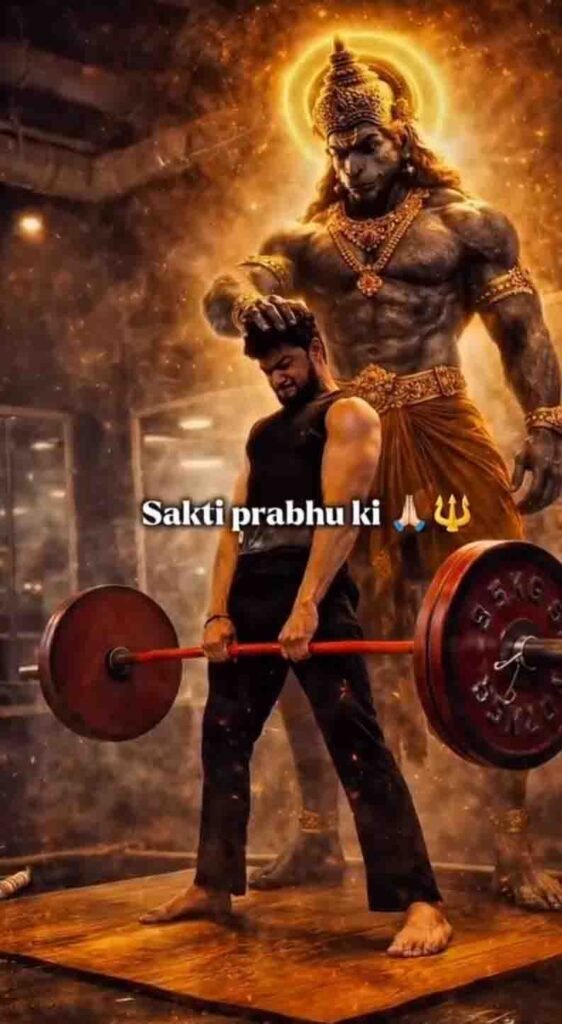
2.Prompt
Create an ultra-realistic cinematic scene where Lord Hanuman (Bajrangbali) is standing behind me (use my uploaded photo as main subject) in a giant divine form. Hanuman Ji appears massive, powerful and protective, wearing a golden crown and traditional ornaments, glowing eyes, subtle golden aura, calm yet fierce expression. I am in the foreground using my exact face and body, realistic face swap, natural skin texture, wearing casual sports outfit, confident pose. Hanuman Ji’s hand is gently placed above my head as a blessing and protection gesture. Dark moody cinematic environment with smoke, dust, dramatic clouds, volumetric lighting, god rays from behind Hanuman Ji. Ultra-detailed, hyper-realistic, 8K quality, cinematic depth of field, sharp focus, epic Hindu mythological art, Instagram viral devotional style.
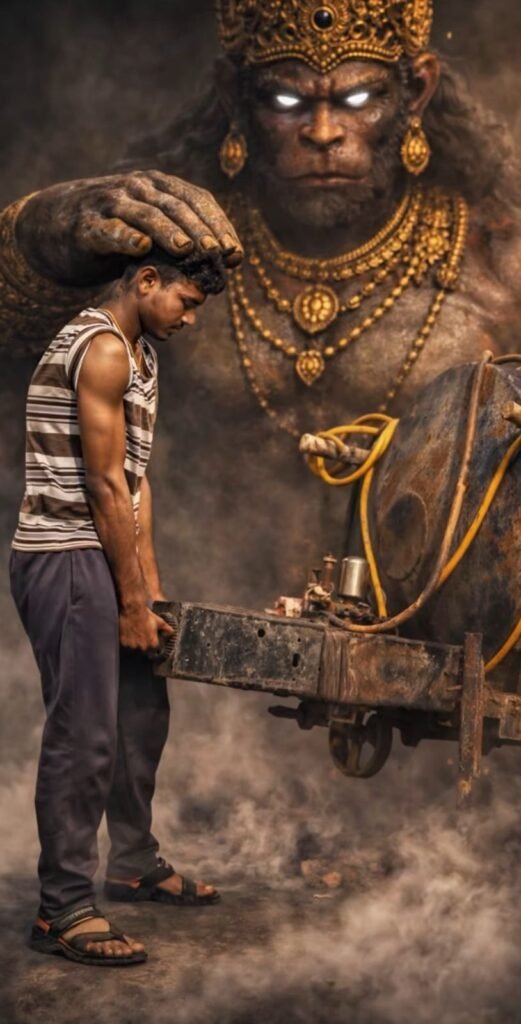
3.Prompt
“A hyper-realistic cinematic scene of a young muscular man exhausted and sweating while lifting a heavy iron machine part in a dusty industrial environment. He wears a sleeveless striped vest, dark trousers, and sandals. Behind him stands a massive glowing Lord Hanuman with a golden crown and jewelry, placing his giant hand on the man’s head in a blessing gesture. Golden-brown smoky atmosphere, dramatic light rays from above, high contrast, realistic shadows, and cinematic depth of field.”
Pro Level Cinematic Effect Tips
Doston agar aap chahte ho aapki Hanuman Ji wali video normal na lage balki cinematic aur creative lage, to aapko niche diye gaye simple steps ko follow karna hai.
Slow Motion Entry Trick
Jab aapka video pause hone wala ho to wahan par aap 0.5x ya 0.7x speed slow kar dena. Isse dramatic impact create hoga aur next AI image ki entry powerful lagegi.
Background Glow Effect
Hanuman Ji wali photo add karne ke baad light glow effect wala overlay istemal karein aur brightness ko +5 tak increase karna hai. Contrast ko bhi thoda photo ke hisaab se increase kar lena hai.
Isse aisa lagega jaise divine energy aa rahi hai.
Sound Design Secret
Doston video me keval bhajan lagana hi kaafi nahi hota. Background me low thunder sound, temple bell effect aur light wind sound add kar sakte ho jisse video aur bhi kamal ka lagega.
Color Grading Formula
Application me jaakar Adjustment tool open karna hai aur wahan se: Exposure: -5
Contrast: +10, Sharpen: +15, Saturation: +8 Ye setting karne se aapki video cinematic aur realistic lagegi.
Viral Boost Strategy
Doston agar aap chahte ho aapki bhi video viral ho to uske liye aapko video ki length 5 se 7 second tak rakhni hai.
Starting me 2 second ka hook laga lena hai.
Hashtag 3 se 5 hi use karna hai, zyada hashtag istemal nahi karne hain.
Aur video upload karte samay caption me emotional line dalni hai.
(Example: “Jab Bhagwan Saath Ho To Haar Kaise Ho”)
Conclusion
Is tarah aap apni viral Hanuman Ji image create kar sakte ho. Jab aapki image ready ho jaye to aap use CapCut, VN ya InShot app me video ke last scene me add kar sakte ho.
Thoda sa shake effect add karo aur aapki video ready ho jayegi.
Is tarah aap image aur video dono create kar sakte ho.
Doston, mujhe umeed hai ye information aapke liye useful sabit hogi aur ab aap aasani se Hanuman Ji video editing aur photo bana paoge.
Agar aapko ye article pasand aaya ho to ise apne doston ke saath share zarur karein taaki aur log bhi aisi videos aur photos bana sakein
Sunny
Kumar
Yadav
Photo edit photo edit
Prompt
Ok
Subhash kumar
Hy
Hay Dost
Shiva with ganpati